Development Diary 3
Posted by Daniel on December 10th, 2009 | No Comments »
Three months since our last post, where does the time go?!
Okay, new dev diary for you. If you’ve been following us on Twitter, you’ll know that we’ve still been very busy with stuff, including, yep, Project Utopia.
By the way, we setup a Flickr page for Project Utopia if you didn’t already know.
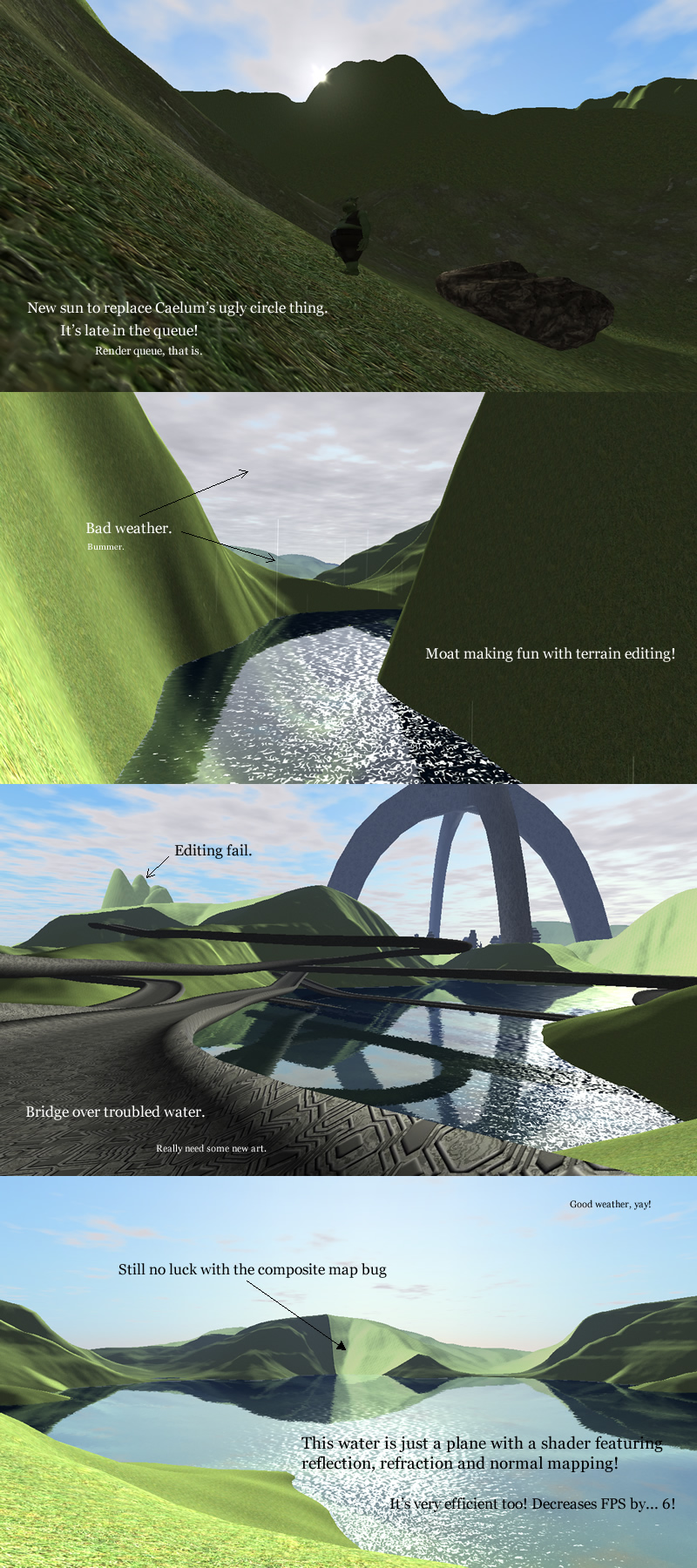
Those screenshots look neat, huh? However, we hit a bit of a dilemma. The terrain system featured in those screenshots looks impressive, but there’s various underlying problems. Not only that, but Ogre, the 3D engine we use, has a brand new terrain system in the works. Here’s a lowdown of the advantages/disadvantages:
Current terrain:
Advantages:
- Beautiful, powerful atmospheric system.
- Feature rich including paging, splatting, normal and parallax mapping etc.
Disadvantages
- The sky with atmospheric scattering is intensive and requires a decent graphics card.
- No dynamic weather.
- Uses the old Ogre terrain system.
- Shaders are commercial.
- Support is not great.
- Slow development.
- There are still many unsolved bugs.
Ogre’s terrain:
Advantages:
- Very efficient.
- It’s just a world object, not a “scene manager”, so that allows for a huge amount of flexibility, even with the possibility of seamless indoor/outdoor support.
- Great support and rapid development.
- Alternative sky has dynamic weather.
Disadvantages:
- No atmospheric scattering, though it will support it eventually.
- Other disadvantages are down to the fact that it’s still WIP.
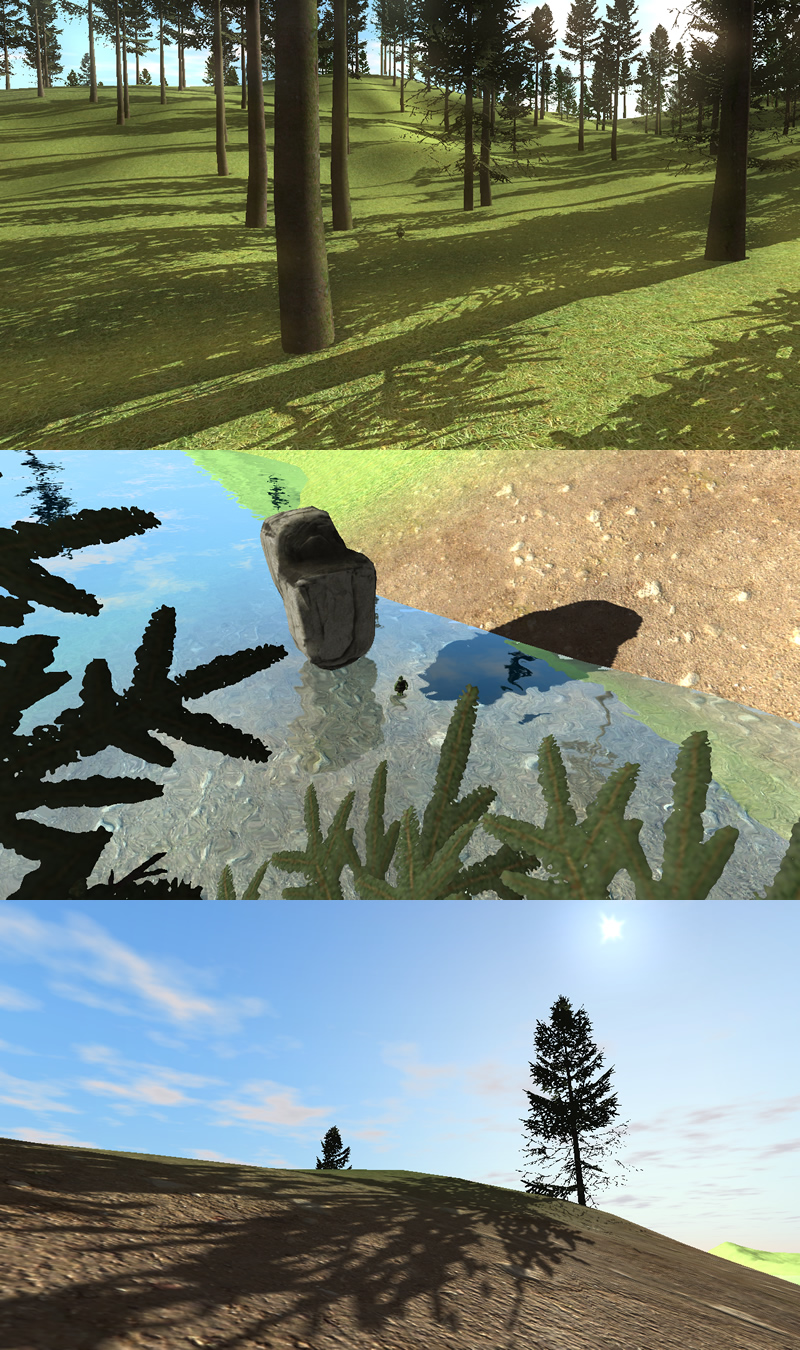
So what do we do? Well, basically, it “makes sense” to go with the Ogre terrain, because it’s going to be the best choice in the long term. But that means we have a lot of work to do to catch up with the graphical quality of the old environment.
Here’s where we’re at so far:
Visual Leak Detector
Posted by Daniel on September 17th, 2009 | No Comments »
Spent today fixing a number of memory leaks in the client.
Ran the Visual Leak Detector, and these were the results, no joke:

Number of the geek!
There aren’t literally that many memory leaks, it’s misleading – simply not calling delete on a new can cause dozens of leaks according to VLD. In this case the majority seem to come from Ogre’s internals, as if root hasn’t been deleted, when in fact it has. *Sigh*, that’s what you get for using an unstable version.
Development Diary 2
Posted by Daniel on September 3rd, 2009 | 1 Comment »
These past few weeks have consisted of re-writing the client to make it more stable and efficient. Upgrading to Ogre 1.7 has been a long haul, but it was absolutely worth the effort. It meant we could add some important features to the background loading system.
Background loading is where resources are loaded seamlessly as you play. The client connects to a HTTP server where the resources are located and downloads them to an offline cache. When you exit, the next time you play the client will use the resources from the cache unless they have changed on the server. Most MMOs use patching to update game resources – this means long waiting times before the game even loads. We will still need some form of patching for binary files and major updates, but it will take considerably less time.
We have put our game engine and distributed server architecture aside for now and have decided instead to create a standard Client-Server system. This consists of a Login Server and a World Server. Each World Server will hold an instance of the game and support a maximum of 2000 players. This is a far more realistic approach for the short term, and will give us more time to focus on gameplay and art.
Thanks to Ogre 3D and a new landscape system the graphics are looking better than ever. All it needs now is some good 3D art, made easy with our editor which I will discuss in another post.
For your viewing pleasure:
Building Ogre with Visual Studio
Posted by Daniel on August 29th, 2009 | 25 Comments »
Changelog:
6th January 2010
- Building the latest 1.7 dependencies package.
- It’s now a generic Building Ogre with Visual Studio guide, since there’s no longer a compelling reason to build from trunk.
This is my “hold-your-hand” guide to building the latest Ogre with Visual Studio C++, trunk or stable.
Prerequisites
- Download and install the latest DirectX9 SDK: http://msdn.microsoft.com/en-us/directx
- Download and install CMake from http://www.cmake.org/cmake/resources/software.html
- Download the latest dependencies package: http://sourceforge.net/projects/ogre/files/ (since this post was last updated, that would be: ogre-dependencies-vc++ -> 1.7 -> OgreDependencies_MSVC_20100106.zip)
- [TRUNK] Checkout ogre from SVN: https://ogre.svn.sourceforge.net/svnroot/ogre/trunk/
- [1.7 STABLE] Checkout ogre from SVN: https://svn.ogre3d.org/svnroot/ogre/branches/v1-7 OR download a source package from: http://www.ogre3d.org/download/source
Building Ogre
- You need to build the dependencies. Extract the Dependencies folder from the zip into the root directory (/trunk/Dependencies/). Go to Dependencies/src and open OgreDependencies.VS2008.sln. Right click the solution and click Build Solution, which will build every project. Do this for both Release and Debug.
- Open CMake. “Where is the source code” should point to the root directory, and “Where to build the binaries” should point to a sub folder in the root directory. For example, you can create a folder named VCBuild.
- Click Configure. Choose the compiler you are building for.
- A list of options in red will appear. Configure it how you choose. I disable BUILD_PLUGIN_BSP and BUILD_RENDERSYSTEM_D3D10 since they are unnecessary for me.
- [OPTIONAL] If you have boost built and require threading, set the BOOST_ROOT value to the root of your boost directory (e.g. “C:/boost_1_39″). Subsequent boost variables should automatically be populated. (If this is an environment variable, it should automatically detect it.) Don’t forget to set CONFIG_THREADS to 1 or 2 depending on your requirements.
- Click configure once again.
- The options should turn grey. Click OK.
- Open OGRE.sln in your build directory.
- Right click the ALL_BUILD project and click Build. Do this for both Release and Debug.
- Right click the INSTALL project and click Build. Do this for both Release and Debug.
- You’re done! Make sure you direct any projects using Ogre to the generated sdk folder in your build directory.
FAQ
What happened to CEGUI?
From 1.7, CEGUI is no longer part of Ogre. You should now treat it as a separate library. For instructions, refer to Building CEGUI.
What do I do next?
If you’ve not familiar with setting up an Ogre application, see my Ogre and Visual Studio Beginners FAQ and follow the walkthrough.
Let me know if you have problems with any of the steps, suggestions etc.
Phoenix Centre
Posted by Daniel on July 31st, 2009 | No Comments »
Yesterday I attended an event in York showcasing the Phoenix Centre, which is an initiative aimed at helping creative and technological startup businesses in the area. The event started with a presentation from some of the businesses based in the centre followed by a tour and networking.

I met some interesting people, and also had a chance to show off our plans and developments, which provoked some interest. The centre offers heavily subsidised office space for a year, with many benefits geared towards helping businesses on our wavelength succeed. Perhaps this could lead to something, who knows.